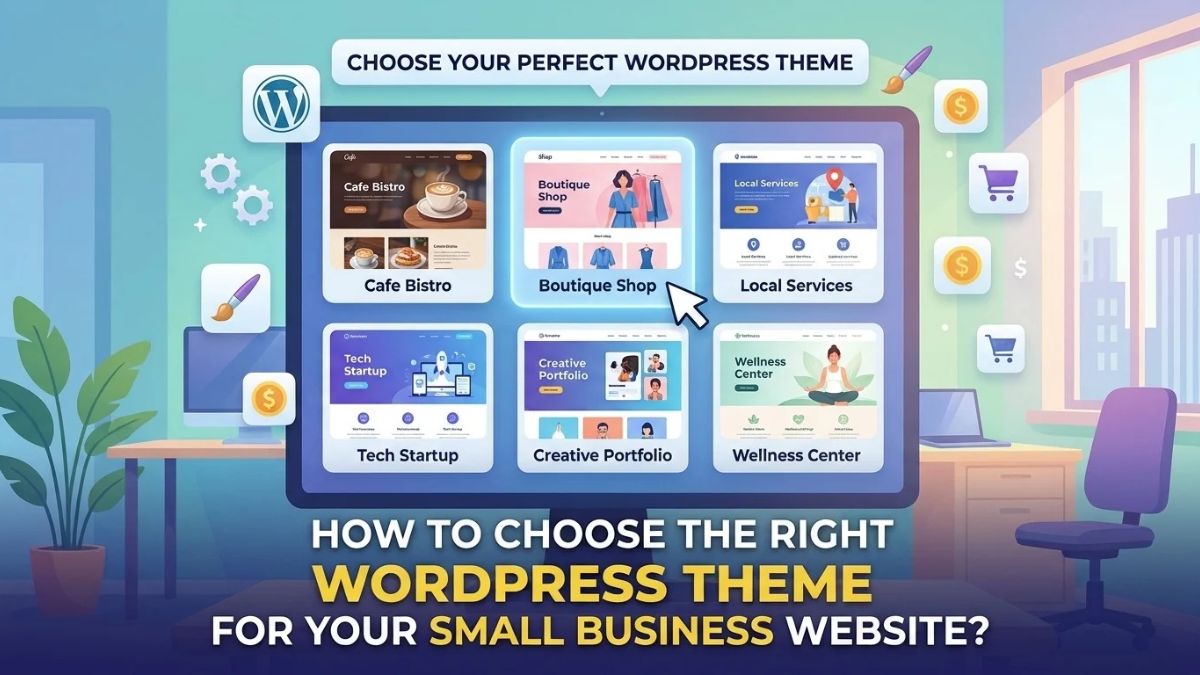
Choosing a WordPress theme is one of the first important decisions when building a business website. The right theme can help you present your services clearly, create a consistent brand experience, and give visitors an easier way to contact you. However, with so many themes available, it can be difficult to know which one fits your business.
If you are learning how to choose a WordPress theme, do not focus only on attractive demo designs. A theme should also work well on mobile devices, support your required features, load efficiently, and remain manageable as your business grows.
In this guide, you will learn how to evaluate WordPress themes, compare free and premium options, check compatibility with essential plugins, and make a confident decision for your small business website.
1. Understand What Your Business Website Needs
Before browsing themes, take a moment to define what your website must accomplish. This step helps you avoid choosing a theme that looks impressive but does not support your actual business goals.
Identify Your Website’s Main Goal
Start by deciding what you want visitors to do when they arrive.
For example, your main goal might be to:
- Generate enquiries for your services.
- Display your portfolio and previous projects.
- Sell products through an online store.
- Publish articles to attract organic search traffic.
- Encourage visitors to book appointments or request quotes.
A service-based business may need clear service pages, testimonials, project examples, and a prominent contact button. An online store, on the other hand, needs product layouts, category pages, shopping cart functionality, and a smooth checkout experience.
Choose a theme that supports your main goal rather than one that simply looks good in a demo.
List Your Required Pages and Features
Write down the pages and features you need before selecting a theme. Common pages include Home, About, Services, Portfolio, Blog, and Contact.
Depending on your business, you may also need:
- A product catalogue or online shop.
- A booking or appointment system.
- A searchable portfolio.
- A frequently asked questions section.
- Newsletter signup forms.
- Customer reviews or testimonials.
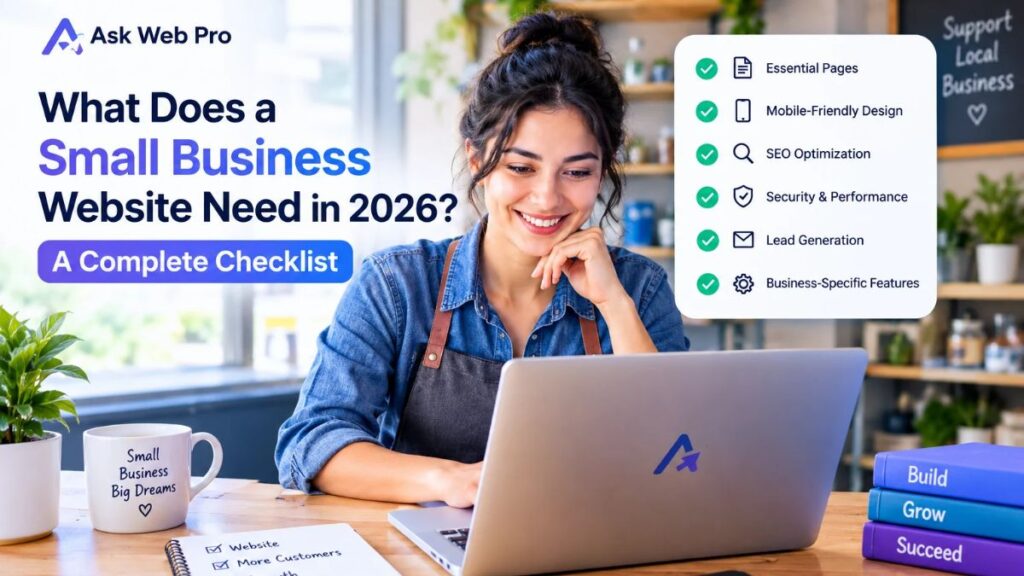
If you need help identifying the essential pages, review our small business website checklist.
Once you know what your website needs, you can compare themes against a clear list instead of making a decision based on appearance alone.
Consider Your Budget and Future Plans
Think about how your business might develop over the next few years. You may start with a simple service website and later add a blog, a larger portfolio, or an online store.
You do not need a theme that includes every possible feature. Instead, look for one that meets your current requirements and gives you reasonable flexibility for future changes.
2. Choose a Theme That Matches Your Brand and Content
Your website should reflect your business identity. A suitable theme makes it easier to present your brand, explain your services, and guide visitors towards the next step.
Look Beyond the Theme Demo
Theme demos often contain polished images, carefully written content, and carefully arranged layouts. Your actual website may look different when you replace those elements with your own content.
Before choosing a theme, ask yourself:
- Can I present my services clearly with this layout?
- Will my own images look good in these sections?
- Is there enough space for my actual content?
- Can I display my portfolio or products properly?
- Will the design still work if I remove some demo sections?
Do not assume that installing a theme will automatically reproduce the demo website. Some designs depend on additional plugins, premium features, imported templates, or specific configuration settings.
Check what is included and what you will need to create or purchase separately.
Check Layout and Customization Options
A useful theme should give you control over important design elements, such as:
- Header and navigation layout.
- Footer structure.
- Page width and content spacing.
- Typography and colours.
- Blog post and archive layouts.
- Sidebar options.
- Button and link styling.
The exact options vary between themes. Review the available settings before committing to one.
If you plan to use Elementor, check how the theme works with your intended page-building workflow. A simple theme with flexible page layouts may be more suitable than one with many built-in design features you do not need.
Avoid Unnecessary Design Features
Animations, complex sliders, elaborate backgrounds, and decorative effects can make a demo look impressive. However, they may not improve the visitor’s experience.
For a small business website, clarity should come first. Visitors should quickly understand what you offer, who you help, and how they can contact you.
Choose a design that supports your content instead of forcing your content into an unsuitable layout.
3. Check Mobile Responsiveness and Accessibility
Many visitors browse websites on phones and tablets. Your chosen theme should make your content easy to read and your website easy to navigate across different screen sizes.
Test on Mobile Devices
A responsive theme adjusts its layout to suit different screen sizes. However, do not rely only on a theme’s claim that it is mobile-friendly.
Open its demo on a phone or use your browser’s responsive preview. Check whether:
- The navigation menu is easy to open and use.
- Text remains readable without zooming.
- Buttons have enough space to tap comfortably.
- Images fit within the screen.
- Forms are easy to complete.
- Important content does not disappear or overlap.
Pay special attention to service pages, product pages, and contact forms. These are often important parts of a business website.
Check Readability and Navigation
A good mobile layout is only part of the picture. Visitors should also be able to understand the content without unnecessary effort.
Look for clear headings, sufficient contrast between text and background, readable font sizes, and consistent spacing. Links and buttons should be visually distinguishable from ordinary text.
Accessibility also matters. Check whether keyboard users can navigate important controls and whether the design supports visible focus indicators. A theme alone cannot guarantee an accessible website, but it can make accessibility easier or harder to achieve.
Test Real Pages, Not Just the Homepage
A theme may display its homepage beautifully while handling other pages poorly.
Check a blog post, an archive page, a contact page, and any other layouts relevant to your business. If you run an online store, inspect product pages, the cart, and checkout as well.
Testing several page types helps you identify layout problems before you build the entire website.
4. Evaluate Theme Speed and Performance
Website performance affects how quickly visitors can use your pages. A theme is one part of performance, but hosting, images, plugins, fonts, caching, and page design also contribute.
Look for a Lightweight Theme
A lightweight theme generally aims to provide the layout and styling you need without adding unnecessary features or code.
Before choosing one, consider whether it relies on many extra plugins, large scripts, or design features you will not use. Review its documentation and test its demo where possible.
However, do not judge a theme by the word lightweight alone. Marketing descriptions are not a substitute for testing.
Test the Demo and Important Pages
If a live demo is available, test it with a performance tool such as Google PageSpeed Insights. Pay attention to loading behaviour and the experience on mobile devices.
Keep in mind that a demo’s results may not match your finished website. The demo may use different hosting, images, plugins, and third-party services.
After installing a theme, test your own key pages too. If performance is poor, investigate the whole website rather than assuming the theme is the only cause.
Understand What Affects Speed
Several factors can influence performance:
- Large or uncompressed images.
- Too many plugins or overlapping features.
- Poor hosting resources.
- Excessive animations and third-party scripts.
- Unnecessary font variations.
- Missing or incorrectly configured caching.
A carefully selected theme can help you avoid some unnecessary overhead, but it cannot fix every performance problem by itself.
For ongoing upkeep, use our WordPress website maintenance checklist to help plan regular website checks.
5. Check Compatibility With Elementor and Essential Plugins
A WordPress theme controls important parts of your website’s presentation. Plugins add functionality. Before choosing a theme, make sure the two work well together.
Check Whether the Theme Works With Your Page Builder
If you plan to build pages with Elementor, review the theme’s compatibility information and documentation.
Consider whether you can:
- Create page layouts without unwanted sidebars.
- Adjust content width.
- Control the header and footer as needed.
- Avoid duplicated page titles or spacing.
- Use your intended Elementor features without layout conflicts.
Some themes offer more integration with particular page builders than others. The best choice depends on how much control you want from the theme and how much you want to manage through Elementor.
Review Essential Plugin Compatibility
Make a list of the plugins your website will need. Depending on the project, these might include an SEO plugin, a contact form plugin, a security tool, a caching solution, or WooCommerce.
Check the theme’s documentation and test essential features on a staging site when possible.
For an online store, pay particular attention to product layouts, variations, cart behaviour, and checkout. A visually attractive theme is not a good choice if it makes important store functions difficult to use.
Avoid Unnecessary Theme Dependencies
Some themes rely heavily on companion plugins or proprietary features. These may be useful, but you should understand what happens if you deactivate those plugins or change themes later.
Ask yourself whether important content and functionality will remain usable if you switch themes. Content that depends on shortcodes or theme-specific elements may require extra work during a future redesign.
6. Compare Free and Premium WordPress Themes
A premium theme is not automatically better than a free one. Your choice should depend on the features you need, the support available, and the total cost of using it.
When a Free Theme Is Enough
A free theme may be a sensible option if you need a relatively simple website with a homepage, service pages, a blog, and a contact form.
It can also be a good starting point when you want to keep initial costs low and are comfortable handling some design adjustments yourself.
Before installing a free theme, check that it comes from a trustworthy source, has appropriate documentation, and receives maintenance updates. Free does not mean that you should ignore compatibility or long-term support.
When a Premium Theme May Be Worth Paying For
A premium theme may be worthwhile when it provides specific features that would otherwise require significant extra work.
For example, you might need specialised layouts, advanced customization settings, store-focused designs, or access to a support service.
Compare the actual benefits with your requirements. If the premium version mainly adds features you will never use, paying for it may not provide much value.
Check the Total Cost Before Buying
The theme’s purchase price is only one part of your website budget. You may also need paid plugins, a page builder upgrade, hosting, custom development, or ongoing maintenance.
Some products use recurring subscriptions, while others offer different licence terms. Review renewal fees, the number of websites covered, update access, and support duration before buying.
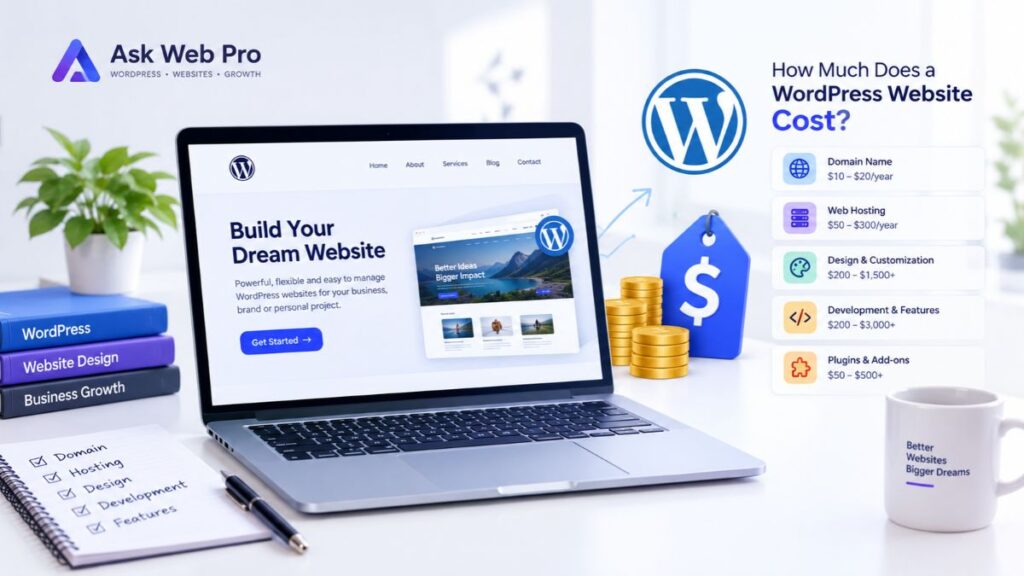
For a broader breakdown of website expenses, read our guide to how much a WordPress website costs.
Choose the option that meets your requirements at a reasonable total cost, rather than assuming the most expensive option will produce the best website.
7. Review Theme Updates, Support, and Security
Your website will need maintenance after launch. A theme that is difficult to maintain can create avoidable work later.
Check Update History and Documentation
Before installing a theme, review its update history, documentation, and compatibility information. Check whether the developer explains how to configure the theme and resolve common issues.
Look for signs that the theme is being maintained. A long period without updates is not proof of a security problem, but it is a reason to investigate compatibility and ongoing support more carefully.
Also confirm that the theme supports the WordPress version and other software you plan to use.
Understand Support and Licensing
Free themes may offer community-based support, while paid products may include a dedicated support channel. The level of assistance varies by developer.
Before buying, check:
- What support is included.
- How long support lasts.
- Whether updates are included.
- Whether the licence covers one website or several.
- What happens when the licence expires.
Do not assume that purchasing a theme guarantees immediate assistance or includes custom development.
Plan for Long-Term Maintenance
Keep WordPress, themes, and plugins updated through a careful maintenance process. Before major updates, create a backup and test important functions whenever possible.
Avoid editing a theme’s original files directly if your changes could be overwritten by an update. Depending on the project, a child theme or another supported customization method may be more appropriate.
A good theme should fit into a manageable maintenance process, not make every update more complicated.
8. Consider SEO and Future Customization
A theme can influence parts of your website’s structure and user experience. However, choosing a theme does not guarantee search rankings.
Check HTML Structure and Heading Options
Review whether the theme supports a logical page structure and allows you to present content with clear headings.
Your page builder or WordPress editor should let you organise content properly. For example, a page normally needs a clear main heading, followed by relevant subheadings where appropriate.
Also check that navigation, internal links, and important content remain accessible and readable. Search engines need to understand your content, but visitors should always come first.
Avoid SEO Promises Based on Theme Marketing
Be cautious about claims that a theme will automatically rank your website higher. Search visibility depends on many factors, including useful content, technical accessibility, site performance, competition, and how well your pages meet visitors’ needs.
A theme with sensible structure and good customization options can support your SEO work. It cannot replace a thoughtful content strategy or guarantee a particular ranking.
Make Sure You Can Change the Design Later
Business needs change. You may add services, publish more articles, expand your portfolio, or move into eCommerce.
Before choosing a theme, understand which parts of your website depend on theme-specific features. Some design elements may need rebuilding if you switch themes later.
If your existing website no longer supports your goals, a planned WordPress website redesign may be more suitable than repeatedly changing small design elements.
9. How to Choose a WordPress Theme Step by Step
Use this process to narrow your options and make a decision based on practical requirements.
Step 1: Define Your Requirements
Write down your website’s main goal, required pages, essential features, design preferences, and budget. Separate must-have features from optional extras.
Step 2: Shortlist Suitable Themes
Find a small group of themes that match your needs. Review their demos, documentation, customization options, and compatibility with your intended plugins.
Avoid choosing a theme simply because it is popular or appears frequently in recommendations.
Step 3: Test Important Features
Check the layouts you will actually use. Test the mobile navigation, page width, typography, forms, and relevant store features.
If possible, install the theme on a staging site and build a sample page using your own content.
Step 4: Review Support and Total Cost
Read the licence terms, check the update history, and understand any renewal fees or additional plugin costs.
Compare the complete cost of using each option, not just the initial price.
Step 5: Test Before Launching
Before publishing the website, test key pages on desktop and mobile. Check links, forms, navigation, and any purchase or booking process.
Also review performance, accessibility, and basic SEO settings. Fix issues before directing visitors to the finished site.
10. Practical WordPress Theme Selection Checklist
Use this checklist before making your final decision.
- The theme supports my business goals.
- It provides suitable layouts for my required pages.
- The mobile navigation and buttons are easy to use.
- Typography, colours, and spacing support readability.
- I have tested performance instead of relying only on marketing claims.
- The theme works with Elementor or my chosen page builder.
- My essential plugins and website functions work correctly.
- I have reviewed update history and documentation.
- I understand the licence, support, and renewal costs.
- I can manage headings, page layouts, and other important SEO elements.
- I understand which design features may be affected by a future theme change.
- I have tested the theme on a staging site or suitable test installation before launch.
You do not need to find a theme that offers every possible feature. Focus on the requirements that matter most to your business and make sure the theme handles them reliably.
11. When Should You Hire a WordPress Professional?
Many small business owners can select and install a suitable theme themselves. However, professional help may save time when the project has complex requirements or when the design needs to do more than a standard theme can easily provide.
When DIY Theme Selection Is Enough
A do-it-yourself approach may work well if your website is relatively simple, your required pages are standard, and you are comfortable configuring WordPress and testing the result.
You can begin with a suitable theme, use your own content, and add only the features you need.
When Professional Help Makes Sense
Consider working with a WordPress professional if you need a distinctive design, advanced Elementor layouts, WooCommerce customization, third-party integrations, or help resolving compatibility and performance issues.
Professional assistance can also be useful when you are redesigning an established website and want to preserve important content, links, and existing functionality.
What a WordPress Designer Can Help With
A WordPress designer or developer can help evaluate themes, plan page layouts, configure essential plugins, customize your website, and test the finished experience across devices.
If you need support with your project, explore our WordPress website design and development services to see how Ask Web Pro may be able to help.
Frequently Asked Questions
What is the best WordPress theme for a small business website?
There is no single best theme for every small business. The right choice depends on your website’s goals, required features, design preferences, budget, and maintenance needs. Compare themes using these requirements rather than choosing one based only on its popularity.
Is a free WordPress theme enough for a business website?
Yes, a free theme can be enough for many business websites. The important factors are its suitability, customization options, compatibility, documentation, and maintenance. Consider a premium option only when its additional features or support provide value for your project.
Does a WordPress theme affect SEO?
A theme can influence aspects of site structure, mobile usability, performance, and how content is presented. These factors can support a good website experience, but a theme alone cannot guarantee search rankings. Useful content and sound technical setup remain important.
Can I use Elementor with any WordPress theme?
You should not assume that every theme will work equally well with Elementor. Check compatibility and test your intended layouts. Also review how the theme handles headers, footers, page width, and other design settings to avoid unnecessary conflicts or duplicated elements.
Is a lightweight WordPress theme always better?
Not necessarily. A lightweight theme can help avoid unnecessary overhead, but it must still provide the layouts and functionality you need. The goal is to choose a suitable theme and build the rest of the website carefully, rather than choosing based on a single performance claim.
Can I change my WordPress theme later?
Yes, you can change your WordPress theme later. However, some layouts, widgets, styling, or theme-specific features may not transfer cleanly. Back up your website, test the new theme in a staging environment when possible, and check important pages and functions before switching on the live site.
How much should I spend on a WordPress theme?
Spend according to your requirements and overall website budget. A free theme may be sufficient for a simple site, while a paid theme may offer useful layouts, features, or support. Consider additional plugins, licence renewals, customization, and maintenance before deciding how much to invest.
Choose a Theme That Supports Your Business
Learning how to choose a WordPress theme is about more than finding an attractive design. You need a theme that supports your business goals, works well on mobile devices, fits your page-building workflow, and remains practical to maintain.
Start by defining your requirements. Then compare suitable themes, test their layouts, review compatibility and support, and understand the total cost. Before launching, check the complete website rather than judging the theme by its demo alone.
The right theme is not necessarily the one with the most features. It is the one that helps you build a useful, professional website for your customers without adding unnecessary complexity.
If you would like help selecting a theme or building a website around your business goals, contact Ask Web Pro to discuss your project.