A small business website should do more than simply look professional. It should help visitors understand what you offer, trust your business, find the information they need, and take the next step whether that means calling you, requesting a quote, booking an appointment, or making a purchase.
So, what does a small business website need in 2026?
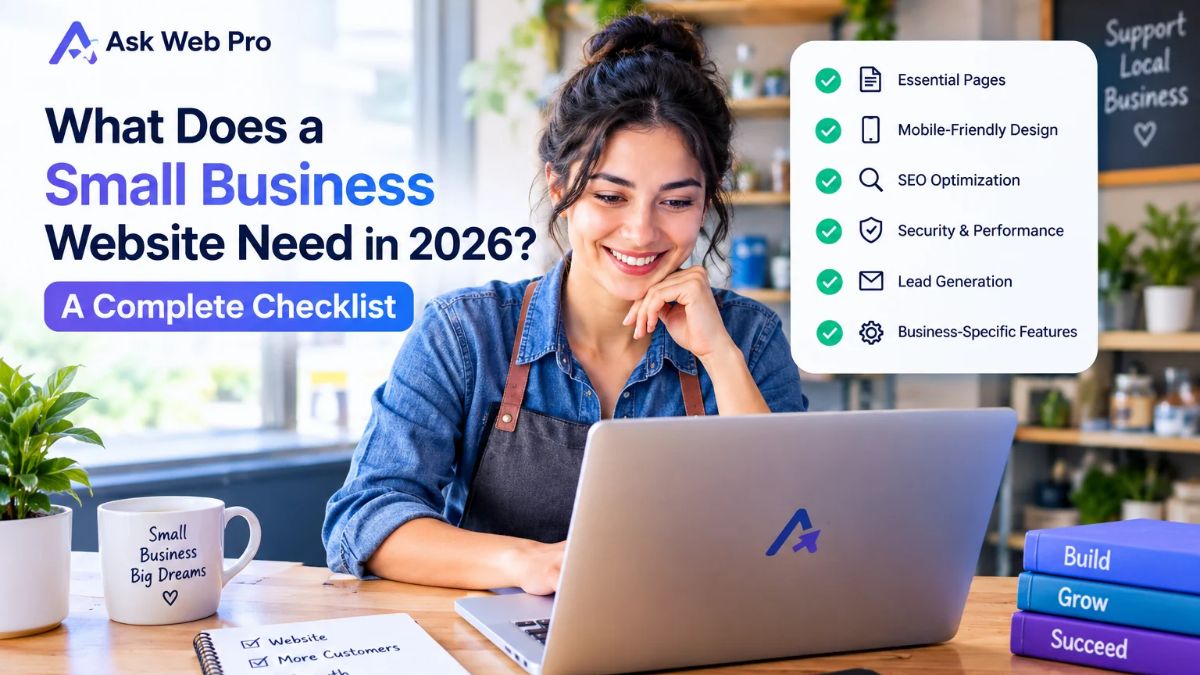
At a minimum, it needs clear information, intuitive navigation, mobile-friendly design, useful content, reliable contact options, basic security, and a solid SEO foundation. Beyond that, the right features depend on your business model and your customers.
This small business website checklist walks through the essentials so you can identify what your website needs before you build, redesign, or launch it.
1. Start With the Essential Pages Every Small Business Website Needs
Before adding advanced features, make sure your website has the basic pages visitors expect. Not every business needs dozens of pages. A smaller, well-organized website is often more useful than a large website filled with unnecessary content.
Homepage — Explain What You Do and Who You Help
Your homepage should answer three questions quickly:
- What does your business offer?
- Who is it for?
- What should the visitor do next?
A strong homepage usually includes a clear headline, a short explanation of your offer, a relevant call to action, and links to your most important pages.
Avoid vague headlines such as “Welcome to Our Website.” Instead, make the value of your business immediately understandable.
About Page — Build Trust and Show Your Expertise
The About page gives potential customers an opportunity to understand the people behind the business.
Explain who you are, what your business does, your experience, your approach, and what makes your service different. Depending on the business, you may also include your team, company story, qualifications, or relevant experience.
An effective About page does not need to be a long personal biography. It should focus on information that helps potential customers decide whether they can trust you.
Services or Products Page — Make Your Offerings Clear
Visitors should not have to search through your website to understand what you sell.
For service businesses, create a dedicated section or page for each important service when additional detail is useful. Explain what the service includes, who it is for, what problem it solves, and what the next step is.
For businesses selling products, provide clear product information, pricing where appropriate, product images, availability, and purchasing options.
Contact Page — Make It Easy to Reach You
Your contact page should make contacting your business simple.
Depending on your business, this may include:
- Contact form
- Email address
- Phone number
- Business location
- Opening hours
- Booking link
- Social media profiles
- Directions or map
Only include contact methods that you actually monitor. A contact form that nobody checks can create a poor customer experience.
Testimonials, Reviews, or Case Studies — Show Credibility
People naturally want to know whether others have had a good experience with a business.
Where appropriate, include genuine customer testimonials, reviews, project examples, or case studies. Explain the context of the work rather than simply displaying generic praise.
Never create fictional testimonials or misleading claims just to make a website look more established.
Privacy Policy and Other Relevant Legal Pages
Depending on your location, industry, and how your website collects or processes information, you may need privacy and other legal information.
For example, a website that collects contact form submissions, uses analytics, sells products, or processes customer information may have additional requirements.
Legal requirements vary by jurisdiction, so use appropriate professional or legal guidance when necessary rather than copying a generic policy without understanding it.
2. Make Your Website Easy to Navigate and Use
A visually attractive website is not automatically a useful website.
Visitors should be able to understand the structure of your site and find important information without unnecessary effort.
Use Clear Navigation and a Logical Page Structure
Keep your primary navigation focused on the pages visitors are most likely to need.
For many small businesses, this could be:
Home → About → Services → Portfolio or Case Studies → Contact
Your exact structure should reflect your business rather than following a fixed template.
Avoid filling the navigation menu with every page on your website. Less important resources can be placed elsewhere.
Create a Mobile-Friendly, Responsive Layout
Many visitors will access your website from a phone or tablet, so your website should work comfortably across different screen sizes.
Check that:
- Text is easy to read on smaller screens.
- Buttons are large enough to tap.
- Images scale correctly.
- Menus are easy to open and use.
- Forms are comfortable to complete.
- Important content does not disappear on mobile.
- Visitors do not need to zoom or scroll horizontally.
A responsive website should not simply “shrink” the desktop layout. Important sections may need different spacing, sizing, or ordering on smaller screens.
Make Text Readable and Calls to Action Obvious
Good design helps visitors understand what matters.
Use readable typography, sufficient spacing, clear headings, and visual hierarchy. Calls to action should be noticeable without turning every section into a sales pitch.
For example, a service page might use:
Request a Quote
while a consultation-based business might use:
Book a Consultation
The wording should match the actual action you want visitors to take.
Design for Accessibility and Keyboard Users
Accessibility should be considered from the beginning rather than treated as an optional extra.
Use meaningful headings, sufficient text contrast, descriptive alternative text for relevant images, properly labelled form fields, and keyboard-friendly interactive elements.
Not every accessibility issue can be solved by simply installing a plugin. The design, content, structure, and functionality all matter.
3. Add the Features That Help Your Business Generate Leads
A website should make it easy for an interested visitor to become a potential customer.
However, more forms and pop-ups do not automatically produce better results. The goal is to remove unnecessary friction.
Add a Clear Call to Action to Key Pages
Each important page should have an appropriate next step.
For example:
- Service page → Request a Quote
- Portfolio page → Discuss Your Project
- Product page → Add to Cart
- Consultant page → Book a Consultation
- Contact page → Send an Enquiry
The CTA should be relevant to the visitor’s stage in the decision-making process.
Use a Contact Form That Requests Only Necessary Information
A contact form should collect enough information to begin the conversation without making the visitor complete an unnecessary questionnaire.
For a basic enquiry, fields such as name, email, and message may be enough.
If you need additional information for example, project type or estimated budget explain why the information is useful.
Always test your forms after launch and make sure submissions are actually reaching the intended inbox or CRM.
Offer Booking, Quote Requests, or Live Chat When Useful
Some businesses benefit from appointment booking. Others may need quote requests, online consultations, or customer support chat.
Choose functionality based on how your customers prefer to interact with your business.
Do not add live chat simply because it looks modern if nobody is available to respond.
Track Form Submissions and Other Meaningful Conversions
Website traffic alone does not tell you whether the website is helping your business.
Depending on your goals, useful conversion events may include:
- Contact form submissions
- Quote requests
- Phone calls
- Appointment bookings
- Product purchases
- Newsletter signups
Tracking should focus on meaningful business actions rather than vanity metrics.
4. Build Trust Before Asking Visitors to Contact You
A visitor may like your website and still hesitate to contact you if they cannot determine whether your business is legitimate or suitable for their needs.
Trust is built through clear information and consistent communication.
Display Accurate Business Information
Make sure your business name, contact details, services, location, and other important information are accurate and consistent.
If your business has changed its phone number, address, opening hours, or service area, update the website promptly.
Outdated information can be more damaging than having less information.
Use Genuine Testimonials and Relevant Work Samples
Show real examples whenever possible.
A web design business, for example, can demonstrate previous projects. A photographer can show a portfolio. A consultant can explain relevant case studies. A local service provider can display genuine customer feedback.
The examples should help visitors understand the quality and relevance of your work.
Explain Your Process, Pricing, or Next Steps Where Appropriate
Customers often hesitate because they do not know what happens after they make contact.
A simple explanation can reduce uncertainty:
- Submit an enquiry.
- Discuss your requirements.
- Receive a proposal or quote.
- Approve the project.
- Begin the work.
You do not necessarily need to publish exact pricing, but providing useful guidance can make the buying process clearer.
Keep Privacy Information and Customer Communications Transparent
If you collect personal information, explain how it is used.
Do not hide important information behind confusing language. Clear communication helps visitors understand what happens when they submit a form, subscribe to an email list, or purchase something from your website.
5. Cover the Technical Essentials: Speed, Security, and Backups
A website can have excellent content and design but still create problems if its technical foundation is neglected.
Enable HTTPS and Maintain Website Security
Your website should use HTTPS and keep its software maintained.
For WordPress websites, regular maintenance may include:
- WordPress core updates
- Theme updates
- Plugin updates
- Strong administrator passwords
- Appropriate user permissions
- Security monitoring
- Regular backups
Security is an ongoing responsibility rather than a one-time setup.
Optimize Images, Fonts, and Page Performance
Large images, unnecessary scripts, excessive plugins, and inefficient resources can make pages slower.
Before publishing a page, consider whether every image, font, animation, widget, and plugin is actually necessary.
Useful performance practices include:
- Compressing images
- Using appropriately sized images
- Avoiding unnecessary animations
- Limiting unnecessary third-party scripts
- Keeping plugins under control
- Using suitable caching and hosting
- Testing important pages after major changes
Do not optimize for a speed score alone. Real users should be able to load and use the website comfortably.
Schedule Backups and Keep Software Updated
A backup is only useful if it can actually be restored.
Make sure backups are created regularly and stored separately from the website where appropriate. Periodically verify that the backup process works.
Updates should also be handled carefully. On important websites, test significant changes and keep a recent backup available before making major updates.
Test Forms, Links, and Important Functions Regularly
A website should be checked after significant updates and periodically during normal operation.
Test:
- Contact forms
- Email notifications
- Buttons
- Navigation menus
- Important links
- Checkout, if applicable
- Booking systems
- Mobile layouts
A broken contact form can mean a lost enquiry even when everything else on the website looks perfect.
6. Follow a Practical Small Business Website SEO Checklist
SEO does not mean adding keywords everywhere. It starts with making useful information easy for people and search engines to understand.
Write a Unique Title and Useful Meta Description for Each Important Page
Each important page should have a clear title that describes its content.
The meta description should help searchers understand what they can expect from the page.
Avoid writing descriptions purely for search engines. Make them useful to the person deciding whether to visit the page.
Organize Content With Clear Headings and Descriptive URLs
Use headings to organize information logically.
A visitor should be able to scan the page and understand its structure.
URLs should also be descriptive and readable rather than unnecessarily complicated.
For example:
/small-business-website-checklist/
is easier to understand than a URL containing unrelated numbers or parameters.
Add Helpful Internal Links and Descriptive Image Alt Text
Internal links help visitors discover related information.
For example, if you are discussing website budgets, it can be useful to link to a detailed pricing guide.
If you are discussing a particular image, descriptive alt text can help communicate its purpose to users who cannot see it. Alt text should describe meaningful images rather than stuffing keywords into image attributes.
Check Indexability, XML Sitemap, and Google Search Console
A technically sound website should be accessible to search engines.
For important pages, check that:
- The page is not unintentionally blocked from indexing.
- Canonical settings are appropriate.
- The XML sitemap is working.
- Important URLs are accessible.
- Google Search Console is configured.
- Search performance can be monitored.
Indexing is not the same as ranking. Making a page technically eligible for indexing does not guarantee that it will appear prominently in search results.
Create Helpful Content That Answers Real Customer Questions
Content should exist because it helps your audience—not simply because you want another page targeting a keyword.
Think about the questions customers ask before contacting your business.
For a web design company, that could include questions about website costs, choosing between website platforms, preparing website content, improving website performance, or deciding which features a business actually needs.
Useful content can support both customers and your broader website structure.
7. Choose Extra Features Based on Your Business Model
There is no universal list of features that every small business website needs.
The right question is not “What features can I add?” but “What does my customer actually need to accomplish?”
Ecommerce Features for Businesses Selling Online
An ecommerce website may need:
- Product pages
- Product categories
- Shopping cart
- Secure checkout
- Payment methods
- Shipping information
- Order management
- Customer account functionality
- Transactional emails
The complexity depends on the number of products, payment requirements, shipping rules, and other business processes.
Appointment Booking for Service-Based Businesses
If customers regularly schedule appointments, online booking can reduce unnecessary back-and-forth communication.
A useful booking system should clearly show available times, collect necessary information, confirm the booking, and provide appropriate reminders or notifications.
Portfolio, Case Studies, or Downloadable Resources
Creative professionals, agencies, consultants, and service businesses may benefit from demonstrating their work.
Instead of simply displaying screenshots, explain the challenge, the work completed, and the outcome where appropriate.
Downloadable guides, brochures, menus, catalogs, or other resources can also be useful when they genuinely help customers.
Multilingual Content and Other Specialized Features
Some businesses serve audiences who speak different languages or operate across multiple regions.
Others may need memberships, customer portals, calculators, integrations, or specialized forms.
Do not add these features simply because another website has them. Every additional feature introduces design, maintenance, security, and performance considerations.
8. Build It Yourself or Hire a Professional Website Developer?
Choosing how to build a website depends on your business needs, technical ability, budget, and available time.
When a DIY Website Makes Sense
Building your own website can make sense when:
- Your requirements are relatively simple.
- You have enough time to learn and maintain the site.
- You are comfortable managing content and basic technical tasks.
- You do not need complex custom functionality.
DIY tools can be useful for getting started, but you should still plan the website structure and content before building every page.
When Professional WordPress Development Can Help
Professional development can be useful when you need:
- A custom website structure
- Professional design
- Advanced WordPress functionality
- WooCommerce development
- Third-party integrations
- Performance optimization
- Technical troubleshooting
- Ongoing maintenance
The right developer should not only build pages. They should understand your business goals, audience, content, usability, and technical requirements.
Plan Your Website Budget Before You Start
Your website budget can vary significantly depending on the scope of the project.
Consider the cost of:
- Domain registration
- Hosting
- Design and development
- Premium themes or plugins, if needed
- Content creation
- Photography or graphics
- Ecommerce functionality
- Maintenance
- SEO
- Ongoing improvements
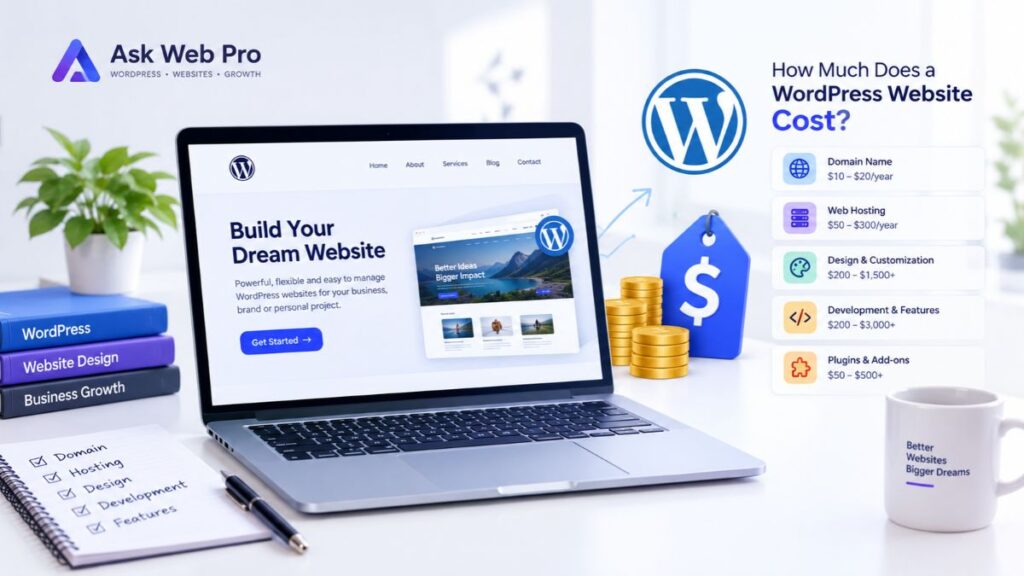
If you are planning a WordPress website and want a deeper explanation of the factors that affect pricing, read our guide to how much a WordPress website costs.
9. The Complete Small Business Website Checklist for 2026
Use the following checklist before launching or redesigning your website.
Content and Pages
- Homepage clearly explains what the business does.
- Target audience is easy to identify.
- About page provides useful business information.
- Services or products are clearly explained.
- Contact page provides practical contact options.
- Relevant testimonials, reviews, or case studies are genuine.
- Privacy and other relevant legal information is available.
Design and User Experience
- Navigation is simple and logical.
- Website works properly on mobile devices.
- Typography is easy to read.
- Buttons and calls to action are easy to identify.
- Important information is easy to find.
- Forms are comfortable to complete on mobile.
- Interactive elements can be used with a keyboard.
- Images have appropriate alternative text where needed.
Lead Generation
- Important pages have a relevant CTA.
- Contact forms request only necessary information.
- Form submissions reach the correct destination.
- Booking or quote functionality works correctly if required.
- Important conversions are being tracked where appropriate.
Trust and Credibility
- Business information is accurate.
- Contact information is current.
- Testimonials are genuine.
- Portfolio or case studies show relevant work.
- The customer journey or next steps are explained.
- Privacy information is easy to find.
Security and Performance
- HTTPS is enabled.
- WordPress core, themes, and plugins are maintained.
- Regular backups are configured.
- Backup restoration has been considered or tested.
- Images are appropriately optimized.
- Unnecessary plugins and scripts have been removed.
- Important website functions have been tested.
SEO
- Important pages have unique titles.
- Meta descriptions are useful and relevant.
- Headings follow a logical structure.
- URLs are descriptive.
- Relevant internal links are included.
- Images have descriptive alt text where appropriate.
- XML sitemap is available.
- Google Search Console is configured.
- Important pages can be crawled and indexed.
- Content answers real customer questions.
Business-Specific Features
- Ecommerce functionality is included if required.
- Online booking is available if useful.
- Portfolio or case studies are included when relevant.
- Downloadable resources are available when useful.
- Multilingual functionality is included if the audience requires it.
- Other specialized features have a clear business purpose.
10. Frequently Asked Questions
What pages should a small business website have?
Most small business websites need a Homepage, About page, Services or Products page, and Contact page. Depending on the business, additional pages such as FAQs, Portfolio, Case Studies, Testimonials, Booking, or Resources may be useful.
The goal is not to create as many pages as possible. Each page should serve a clear purpose.
What features does a small business website need?
Common essentials include responsive design, clear navigation, contact options, relevant calls to action, secure hosting, backups, basic SEO, and useful business information.
Additional features should depend on how customers interact with the business.
Does a small business website need a blog?
Not necessarily.
A blog can be useful when a business can consistently publish genuinely helpful content that answers customer questions. However, a business does not need a blog simply to make its website look complete.
Quality and usefulness matter more than publishing content for the sake of having more pages.
Is WordPress a good choice for a small business website?
WordPress can be a practical option for many small businesses because it supports a wide range of website types and can be expanded as business needs change.
However, WordPress also requires appropriate hosting, updates, backups, security practices, and ongoing maintenance.
Does a small business website need SEO?
If you want potential customers to discover your business through search engines, SEO is an important consideration.
Basic SEO starts with useful content, clear page structure, descriptive titles, appropriate internal links, technically accessible pages, and a website that provides a good user experience.
SEO can improve discoverability, but no legitimate SEO approach can guarantee a particular ranking position.
How can I make my small business website more trustworthy?
Start with accurate business information and clear contact details.
Then add genuine testimonials, relevant examples of your work, transparent information about your process, appropriate privacy information, and a professional, consistent user experience.
Trust should come from evidence and clarity rather than exaggerated claims.
Should I build my own website or hire a developer?
A DIY website can work well for a simple project when you have enough time and are comfortable learning the necessary tools.
A professional developer may be a better option when the website requires custom functionality, professional design, ecommerce, integrations, performance work, or ongoing technical support.
Final Thoughts: Your Website Should Support Your Business Goals
A successful small business website does not need every feature available in 2026.
It needs the right features for your customers and your business.
Start with the fundamentals: clear information, useful pages, simple navigation, mobile-friendly design, reliable contact options, security, performance, and a solid SEO foundation. Then add features such as ecommerce, booking, integrations, or advanced functionality when they solve a real business problem.
Most importantly, review your website from your customer’s perspective.
Can they understand what you do within a few seconds? Can they find the information they need? Can they easily contact you? Does the website give them enough confidence to take the next step?
If the answer is yes, your website is doing more than looking good—it is supporting your business.
If you need help planning or building a professional WordPress website, you can explore the WordPress website design and development services offered by Ask Web Pro. If you already know what you need and want to discuss your project, you can contact Ask Web Pro to start a conversation.